
Illustrative meeting room with ceiling speakers distributed along seating; confirm power and positions through survey.
Audio Solutions for Meetings & PA
Phạm vi cần trao đổi
- check_circle Capture and playback for actual positions
- check_circle Meeting audio checked in both directions
- check_circle Speaker loads and zones defined in the plan
- check_circle Listening tests, instructions and handover records
1. Help speech reach the intended listener
In a meeting room, remote participants need to hear the person speaking. In an auditorium, those at the back need to follow the content. Operational announcements need to reach the intended area. Each task calls for suitable capture, processing and playback.
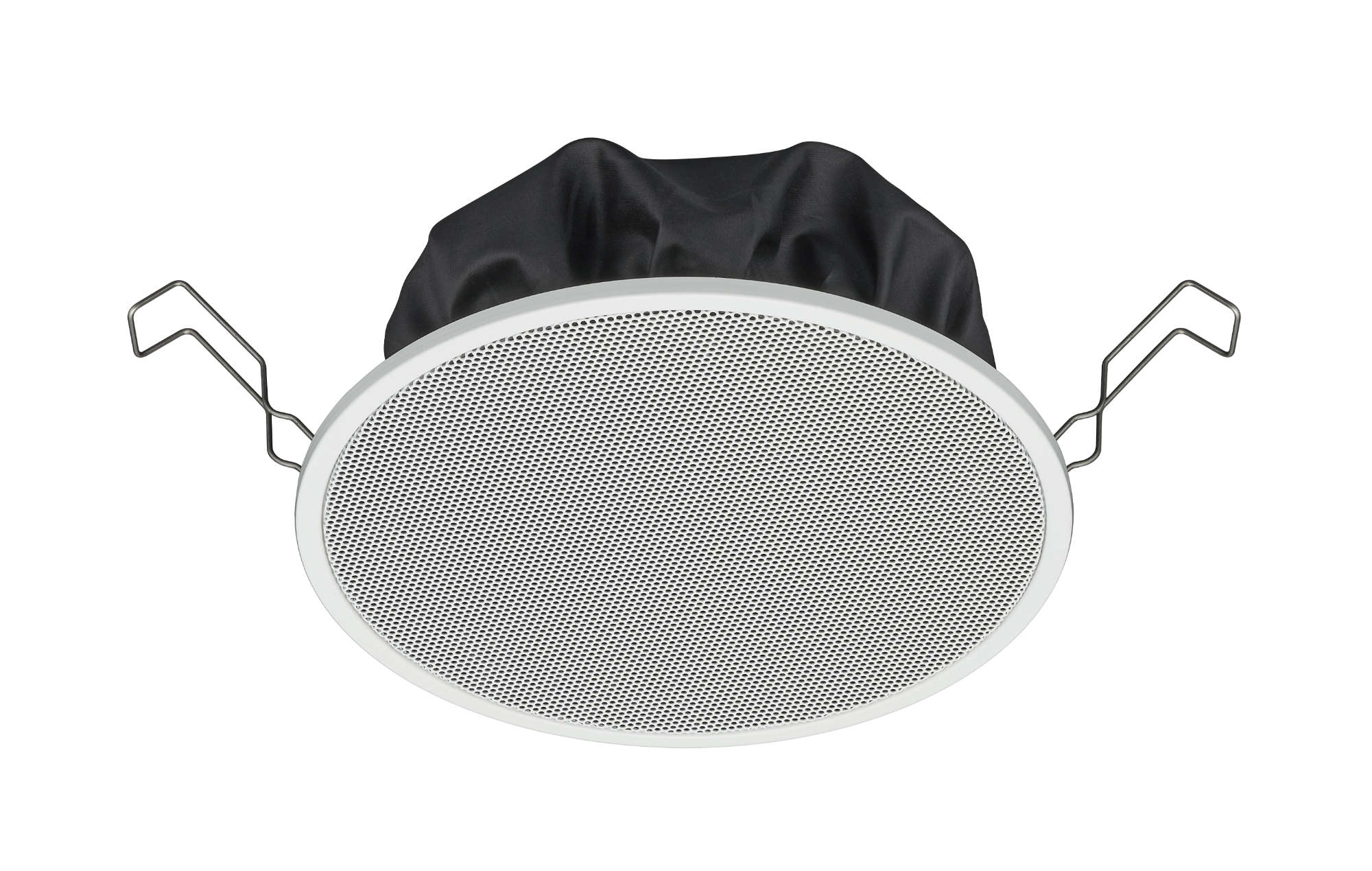
Flush ceiling speakers for a formal meeting room
Prioritise flush-mounted speakers distributed along the seating area to bring sound closer to listeners and support even levels. Account for ceiling height, speaker coverage characteristics, lighting and HVAC, then test listening levels at the front, middle and back of the table.
PC-1860 is one reference model: its 100 V taps are 0.8 / 1.5 / 3 / 6 W. Select taps for the listening requirement and total load, rather than setting every speaker to maximum. Check TOA's installation guide.
A 4–6 wall-speaker option
Survey a layout with 2–3 speakers on each side along the room, aimed at the listening area. Balance height, direction and levels at each position; avoid unsuitable aiming toward microphone pickup areas.
Select four or six after checking room length, coverage and test results. The aim is for nearby listeners to remain comfortable while those farther away can follow the content.
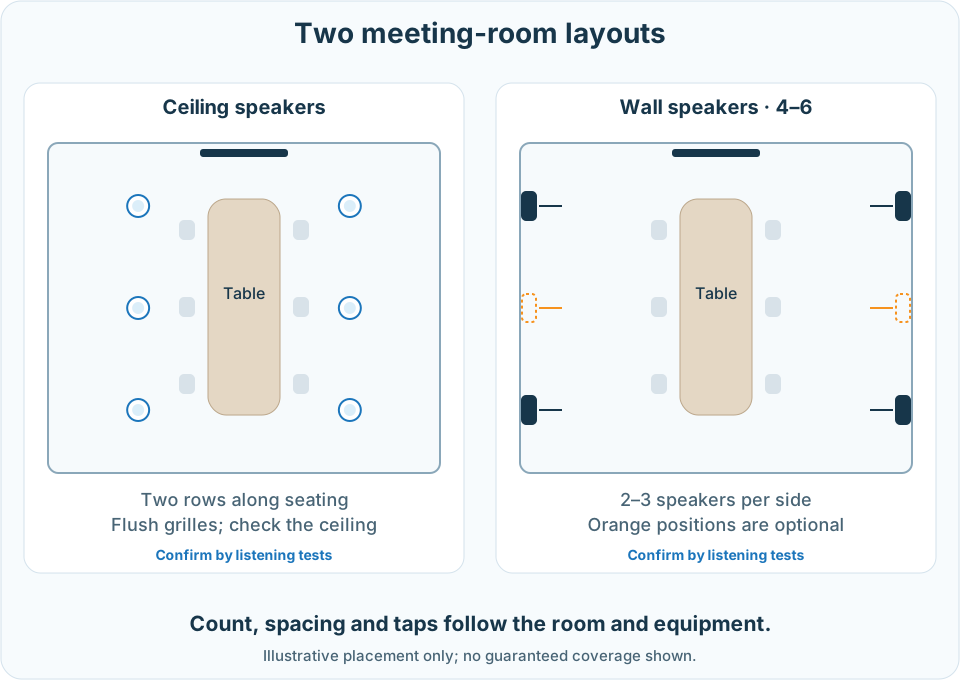
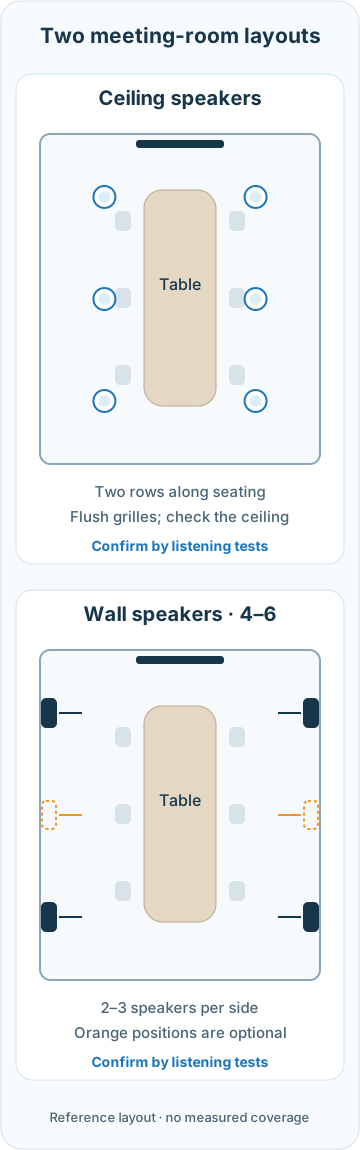
Survey room dimensions, surfaces, noise, microphone and speaker positions, wiring and existing equipment. Seat count and floor area are inputs, not enough by themselves to determine speaker count or power.
2. Make the meeting audio path clear
Room reverberation, echo heard by remote participants and microphone feedback require different treatment. Shure explains the role of signal processing in speech capture, source management and two-way communication.
- Sound lingering in the room: assess reflective surfaces, noise and talker-to-microphone distance. Adjust placement and consider acoustic treatment for the task.
- Remote callers hearing their own voice returned: check received audio, local loudspeakers, microphone pickup and AEC configuration. AEC needs a suitable reference for the audio played through the speakers, following device documentation.
- Feedback with an open microphone: check microphone/speaker position and direction, gain and the number of open microphones. Address the actual signal path.
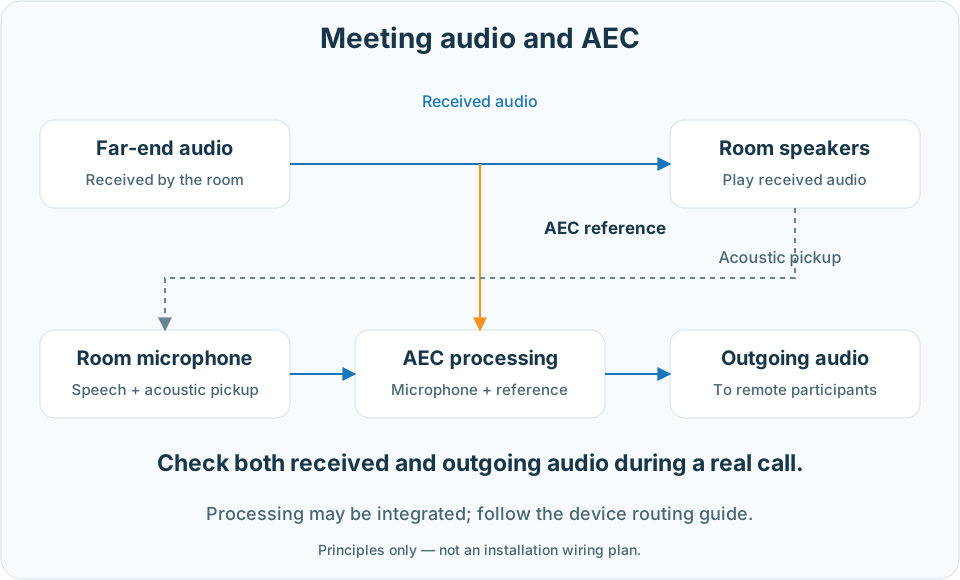
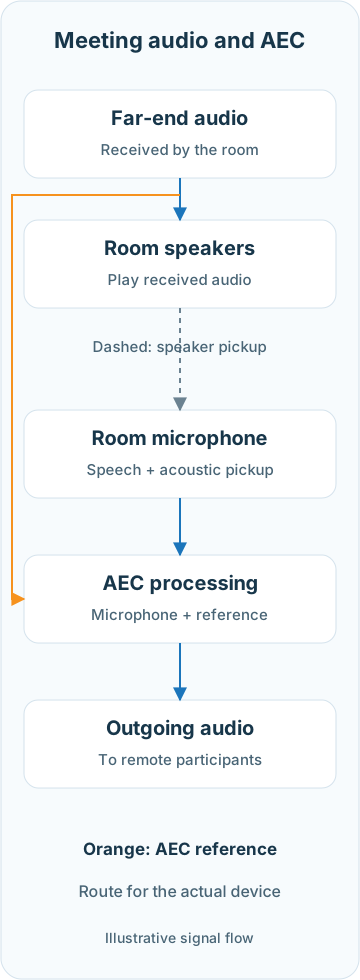
The Shure P300 guide calls for reference-routing checks and a test call with the remote participant. Processing may be integrated in a device or handled separately; choose it for actual connectivity and configuration. Acoustic targets, when measurements are required, are agreed for the room purpose and surveyed conditions.
3. Choose speakers and size each zone's load
For announcements or background music, clarify listening positions, ambient noise, sources and control zones. A zone is a designed control area; zone count, source priorities and supervision depend on the selected equipment.
A model to check
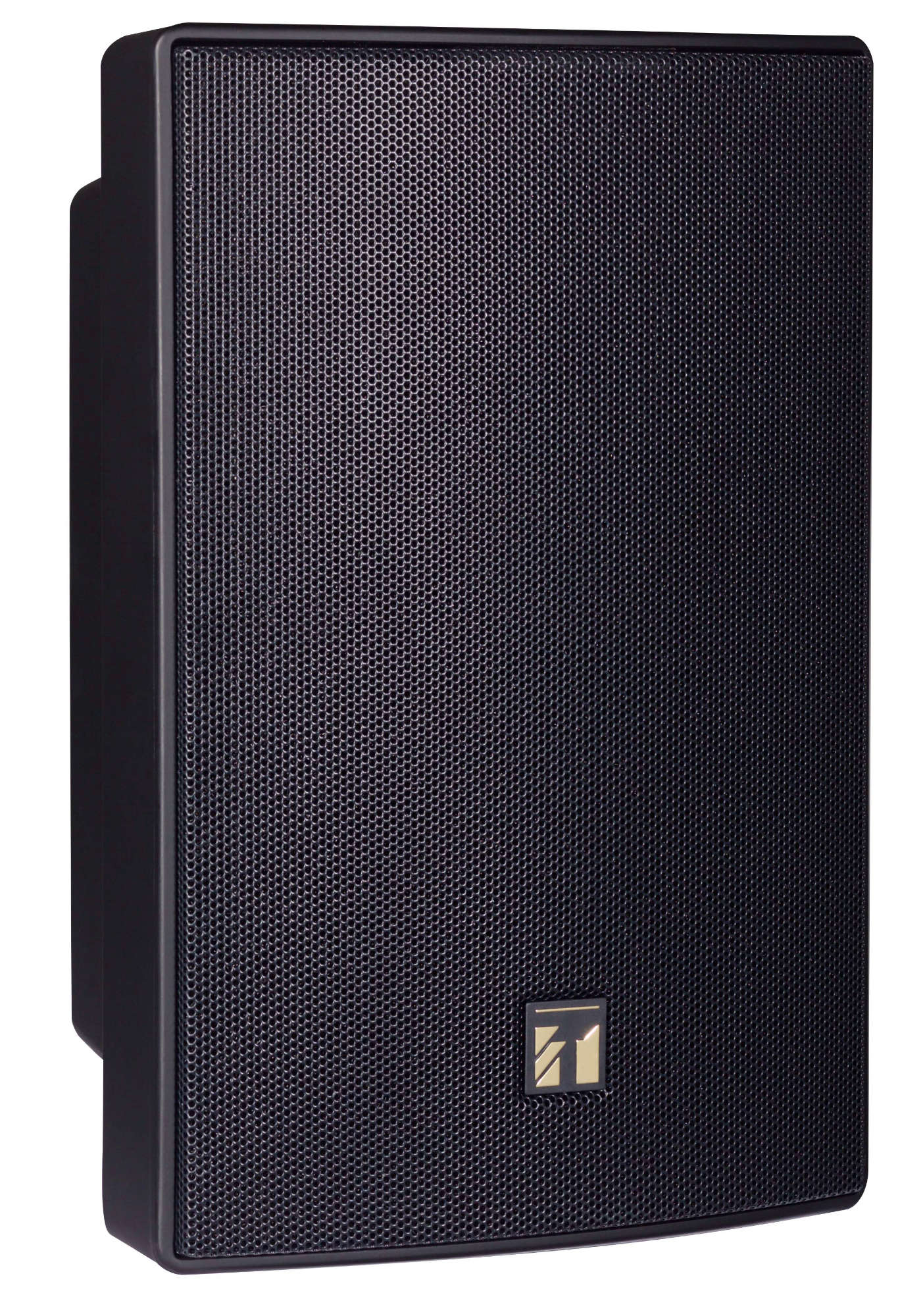
TOA BS-1030B
A passive two-way speaker with 30 W rated input, supporting 8 Ω or 70 V/100 V speaker lines. Selected taps must match the line and load plan. The speaker needs a suitable amplifier; it does not itself provide AEC or zone control.
TOA's instructions specify mounting orientation and sheltered outdoor locations. Check the actual site before selection; appearance alone does not establish environmental suitability.
100 V speaker-line load example
Separate examples for the two options
Ceiling: 6 speakers × 3 W tap = 18 W total speaker load.
Wall: 4–6 speakers × 5 W tap = 20–30 W total speaker load.
These are alternative layouts, not loads to add together. These are illustrative assumptions, not a proposed speaker count or sound level for a site. A speaker's 30 W rating does not mean every speaker is always set to a 30 W tap.
Select amplification for the total simultaneously active load, manufacturer-required headroom, cable losses and expansion needs. TOA amplifier documentation distinguishes output connections and load limits; the technical team handles wiring, cable selection and settings.
Emergency announcements or evacuation requirements need a separate design scope, checked against equipment, backup power, supervision and project requirements. An operational PA system does not automatically provide these functions.
4. Test the way the customer will use the system
Agree on listening positions and test scenarios before installation. For meetings, place two-way calls using the intended platform and devices: talkers in different positions, mute/unmute, shared-content audio and simultaneous conversation.
For auditoriums or PA, play representative speech and sources, and listen at agreed positions under operating conditions. Test each zone, levels, source priorities where included, and operator actions. Add specialist measurements when the acceptance scope requires them; louder does not necessarily mean clearer.
- Records: signal flow, equipment positions, models, wiring, tap settings and appropriate configuration backups.
- Operation: selecting zones, setting levels, muting microphones and knowing who to contact when something changes.
- Deployment: agree on retained equipment, changes, possible interruptions, configuration backups and support terms.